
AI Readiness 360 / Education
AI training for students and teachers.
Students build and present an AI project. Teachers turn a lesson they already teach into activities, materials and assessments they can use in class.

01 / Student learning path
AI Programs for Students & Beginners
A fluent answer can still be wrong. Across four program areas, learners practise asking good questions, testing what a tool produces and explaining their own contribution.
AI Awareness for School Students
Spot AI in a voice assistant or a recommendation. Use a sorting game to explore how examples help a machine recognise patterns.
Generative AI & ChatGPT Training
Compare two answers to the same question. Add context, check a claim against a textbook and decide what to keep.
AI Coding & Programming
Turn a question into steps a computer can follow. Start with simple logic; older learners can build a Python classifier or a small chatbot.
AI Creativity & Digital Skills
Sketch a story, try an AI-assisted image or video and explain the creative choices behind the final piece.
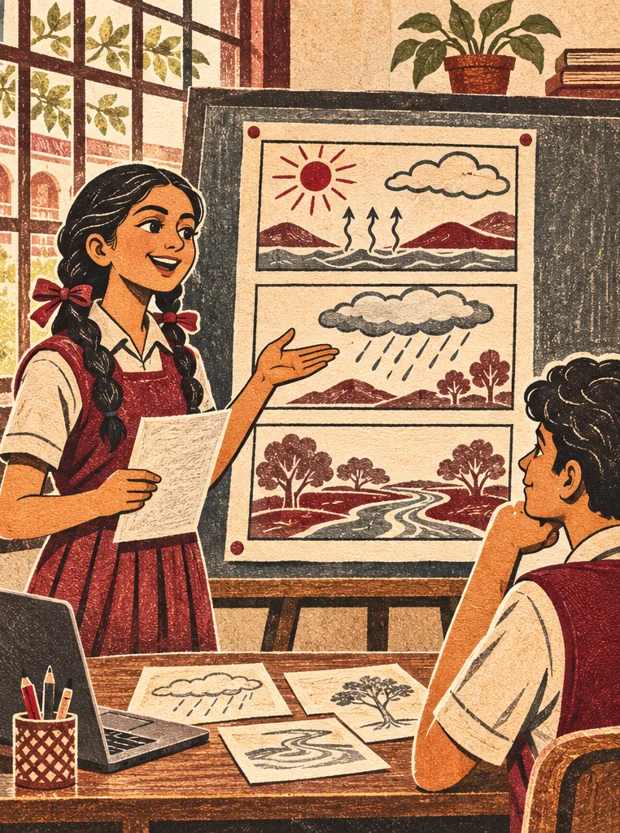
Planning guide / Students
Which program fits your class?
Choose a starting point by class, then adjust the project to your learners’ experience. These are example activities, not entry requirements.
| Student group | Suggested program | Example classroom activity |
|---|---|---|
| Classes 1–5 | AI Awareness & Creativity | Sort picture cards by a rule, then draw a story about a helpful machine. |
| Classes 6–8 | AI Fundamentals & AI Tools | Compare a teacher-led AI explanation with the class textbook and illustrate one correction. |
| Classes 9–10 | Generative AI, Prompt Engineering & Projects | Test two prompts and turn the better answer into a fact-checked study guide. |
| Classes 11–12 | Advanced AI, Python & Machine Learning | Train a small classifier on sample data and explain one prediction it gets wrong. |
| College students | AI Automation, APIs & Real-world Applications | Connect a sample FAQ dataset to a chatbot and test when it should refer a question to a person. |
For younger learners: Use unplugged activities or teacher-led demonstrations. Choose tools and account arrangements that fit the learners’ ages and school policy.
Inside the student program
From a first question to a final project
These eight practical modules form a suggested sequence. The trainer adjusts the depth, tools and level of supervision to the class.
Introduction to AI
Explore the difference between following a fixed rule and learning a pattern from examples.
ChatGPT and Gemini
Compare responses to one classroom question and identify a claim that needs evidence.
Prompt Engineering
Give a task, audience and constraint; change one detail and compare the result.
AI Image and Video Creation
Turn a storyboard into a visual sequence and label the AI-assisted elements.
AI for Education
Make revision questions from class notes and check the answer key.
AI Coding and Chatbot Creation
Map a conversation, then build and test an age-appropriate prototype.
AI Safety and Ethics
Practise keeping personal details private, spotting bias and crediting sources.
Final AI Project Presentation
Demonstrate what you made, what you checked and what you would improve.
Each student completes and presents at least one practical AI project and receives a course completion certificate from AI Readiness 360.
02 / AI Programs for Teachers
AI for Teachers – Smart Teaching & Digital Transformation Program
Bring a lesson you teach. Practise using AI to reduce preparation time, create engaging activities and give students more useful feedback. The teacher sets the objective, checks the facts and makes the final decision.
Explore the six teacher modules
01AI Fundamentals for Teachers
Explore artificial intelligence, generative AI and large language models through ChatGPT, Gemini and Claude. Compare their answers to a subject question to identify useful teaching applications, limitations, privacy concerns and ethical choices.
Takeaway: An annotated AI response with a correction and a source.
02AI-Powered Lesson Planning
Turn a learning objective into a lesson plan, subject-specific materials and a classroom activity. Draft a worksheet or assignment, then adapt the instructions for learners who need extra support or a further challenge.
Takeaway: One lesson with two versions of a practice task.
03AI Content & Presentation Creation
Build a PowerPoint outline, educational images, diagrams or infographics. Use the same objective to draft a quiz, question paper or short educational video, then check the facts and visuals.
Takeaway: A classroom-ready slide and a matching exit question.
04AI for Student Assessment
Draft multiple-choice questions, question banks, practice tests and assessment rubrics. Review anonymised examples for learning gaps and edit feedback so it gives students a useful next step.
Takeaway: A checked question bank and a feedback rubric.
05AI for Classroom Management
Use templates to simplify recurring admin: attendance and progress reports, parent communication, classroom activities and academic calendars. Practise with fictional records.
Takeaway: A weekly activity planner and an editable parent update.
06AI Safety, Ethics & Responsible Teaching
Protect student data, recognise hallucinations and misinformation, and set expectations for academic honesty, attribution and plagiarism. Decide when AI is appropriate and which decisions require human supervision.
Takeaway: A classroom agreement and a teacher review checklist.

Faculty toolkit / Classroom applications
Choose a tool for the teaching task
Start with the material you need: a worksheet, a source-based study guide or a quiz. These examples show where each tool fits. Use approved accounts and avoid entering identifiable student information.
| AI tool | Practical classroom application |
|---|---|
| ChatGPT | Draft a lesson plan, worksheet or quiz from a learning objective. |
| Google Gemini | Explore research questions and prepare a lesson outline; verify claims against reliable sources. |
| Claude | Turn a long teaching document into a reading guide or differentiated handout. |
| Microsoft Copilot | Draft a teaching document, organise notes or outline a presentation. |
| NotebookLM | Create study questions from selected source material and check them against the original. |
| Canva AI | Design classroom posters, illustrated handouts and teaching slides. |
| Gamma | Turn a lesson outline into a first draft of a slide presentation. |
| Quizizz (now Wayground) | Build an interactive quiz and review which questions need reteaching. |
| Kahoot! | Run a classroom review game and discuss why an answer is correct. |
| MagicSchool AI | Draft teacher-specific resources such as rubrics and differentiated activities. |
Planning your school program
Build the proposal around your learners.
Share the classes or teaching team, approximate group size, current AI experience and the learning outcome you want. We will discuss delivery format, session duration, dates, device and account requirements, fees and project assessment before you commit.
The curriculum is adaptable. Younger learners use unplugged activities or teacher-led demonstrations; the proposed tools and supervision will reflect age and school policy.
Your next step
Plan training for your school.
Share a few details so Ankit can review your requirements and discuss a suitable next step. This is an enquiry, not a confirmed appointment.
- We review your goal and current situation.
- We arrange a conversation to clarify the scope.
- You receive proposed deliverables, timing and costs before committing.

Your transformation partner
Work directly with Ankit Das.
Practical experience across IT leadership, eCommerce, AI automation and project delivery. We begin with your business problem and keep your team involved in decisions, testing and handover.
View Ankit’s professional background